
Keywords and search intent are the heart of SEO, but they don’t have to be complicated. This guide will help you understand both in simple language so you can plan content that actually gets found and genuinely helps readers.
What Are SEO Keywords?
Keywords are the words or phrases people type into search engines like Google when they are looking for something. When someone searches for “best running shoes for flat feet” or “how to start a blog,” those phrases are keywords.
In SEO, you use keywords to help search engines understand what your page is about, so they can match it with the right searches. Think of keywords as the “bridge” between what people want and the content you create.
Main Types of Keywords -Simple Breakdown
You’ll see many keyword categories online, but as a beginner, you can focus on just a few.
Short‑tail keywords
- Very short (one or two words) and broad
- Examples: “SEO”, “shoes”, “blogging”
- They have high search volume but very high competition and unclear intent
Long‑tail keywords
- Longer phrases (three or more words), more specific
- Examples: “SEO tips for beginners”, “best running shoes for flat feet women”
- Usually lower search volume but easier to rank and much clearer about what the searcher wants
Branded keywords
- Include a brand name
- Examples: “SERPGoddess SEO”, “Nike running shoes”, “Ahrefs tutorial”
- Great for your own brand pages and authority content
Local keywords
- Include a location
- Examples: “dentist in Manila”, “SEO consultant Singapore”, “pizza near me”
- Important for local businesses and service providers
When you are just starting, long‑tail keywords that describe a clear problem or question are usually your best option.
What Is Search Intent?
Search intent is the reason behind a search. It answers this simple question: What is this person actually trying to do?
If you understand intent, you stop guessing and start creating content that truly matches what people want.
The Main Types of Search Intent
You’ll mostly work with these five types.
1. Informational intent
The user wants to learn something.
Examples:
- “how search engines work”
- “what is keyword research”
- “symptoms of iron deficiency”
Best content types: guides, tutorials, explainers, blog posts, how‑to articles.
2. Navigational intent
The user wants a specific website or page.
Examples:
- “Facebook login”
- “SERPGoddess blog”
- “Ahrefs pricing”
Best content types: your homepage, login pages, about pages, main brand pages.
3. Transactional intent
The user is ready to buy or take a strong action.
Examples:
- “buy seo course online”
- “cheap web hosting plan”
- “hire seo freelancer”
Best content types: product pages, sales pages, pricing pages, strong landing pages.
4. Commercial investigation
The user is comparing options before buying.
Examples:
- “best seo tools for beginners”
- “ahrefs vs semrush”
- “wordpress vs wix for blogging”
Best content types: comparison posts, “best X” lists, reviews, round‑ups.
5. Local intent
The user wants something nearby.
Examples:
- “coffee shop near me”
- “plumber in Quezon City”
- “digital marketing agency in Kuala Lumpur”
Best content types: local landing pages, service pages, your Google Business Profile, and location‑specific content.
For each article you write, choose one main intent and build your content around it.
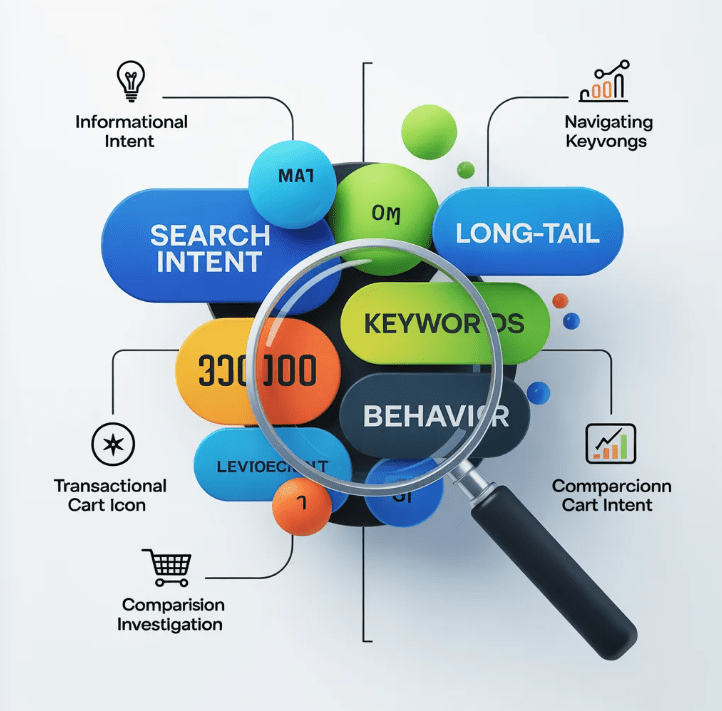
How Keywords and Search Intent Work Together
The same keyword can mean different things depending on the context.
- “apple” could mean the fruit or the tech company.
- “seo writer” could be someone wanting to hire an SEO writer or someone wanting to become one.
Google Search uses context, location, and user behavior to guess the most likely intent. Your job is to pick a clear intent for each page and write to that intent.
Two simple rules:
- One main intent per page
- One main keyword per page, plus closely related phrases and questions
Simple Keyword Research Workflow for Beginners
You don’t need expensive tools to get started. Follow this simple process.
Step 1: Start with topics, not tools
Think about:
- Problems your audience has
- Questions they ask you
- Things you see in Facebook groups, forums, or Reddit threads
- Titles from YouTube videos in your niche
Example beginner topics:
- “how to do keyword research”
- “what is on page seo”
- “how to start an seo blog”
Write down 10–20 topic ideas before you open any tools.
Step 2: Turn topics into keyword ideas with free tools
Use simple, accessible tools such as:
- Google Search suggestions – start typing a phrase and see autocomplete suggestions
- “People Also Ask” and related searches on the Google results page
- Google Keyword Planner – inside a free Google Ads account
- Question tools like AnswerThePublic or AlsoAsked
For example, if your topic is “keyword research”, you might find:
- “how to do keyword research for beginners”
- “keyword research for blog posts”
- “free keyword research tools”
- “how to find low competition keywords”
Step 3: Check the SERP to understand intent
Before you choose a keyword, search it on Google and study the first page:
- Are the top results guides, tools, product pages, or videos?
- Are they for beginners, advanced users, or mixed?
- Do you see words like “how to”, “beginner”, “best”, “vs”?
The SERP tells you what Google believes people want for that keyword. If most results are step‑by‑step guides, and you want to write a guide, that’s a good match.
Step 4: Choose one primary keyword per article
Pick:
- One primary keyword that best matches your article
- 3–8 supporting keywords / questions that are very close in meaning
Example for this article:
- Primary keyword: “how to do keyword research for beginners”
- Supporting keywords:
- “seo keywords for beginners”
- “search intent explained”
- “keyword research step by step”
You’ll use these naturally throughout your content instead of forcing them into every sentence.
Where to Use Your Keywords (Without Stuffing)
For each article, place your primary keyword in:
- The page title (or a close variation)
- The URL slug
- The first paragraph, in a natural sentence
- One or two subheadings, if it fits
- The meta description, written for humans
Use supporting keywords in:
- Subheadings and section titles
- Bullet lists and FAQ answers
- Image alt text (describing what’s actually in the image)
- Internal link anchor text to related posts
If a sentence sounds weird because you forced a keyword into it, rewrite the sentence. Clear, natural language always wins in the long run.
How Search Intent Shapes Your Content Format
Once you know the search intent, you can choose the right type of content to create.
Informational example
- Keyword: “how to do keyword research for beginners”
- Intent: Learn
- Good format:
- A step‑by‑step tutorial
- Screenshots from tools like Google Keyword Planner or Ubersuggest
- A simple checklist at the end
Transactional / commercial example
- Keyword: “best seo tools for beginners”
- Intent: Compare and maybe buy
- Good format:
If you write a theory article for a transactional keyword, you’ll fight the intent and probably struggle to rank or convert.
Using Related Keywords and Natural Language (NLP / “LSI”)
You may have heard people talk about “LSI keywords” or “semantic keywords.” In real‑world practice, you don’t need to chase complicated models.
Just:
- Use natural synonyms and related phrases
- Answer common questions around the topic
- Cover the topic in a complete, human way
For example, if your main keyword is “keyword research for beginners,” it’s natural to also mention:
- “search volume”
- “keyword difficulty”
- “long‑tail keywords”
- “SERP analysis”
- “free keyword research tools”
When you write freely about the topic and genuinely teach it, you’ll naturally include many of these terms. That’s enough for most beginner‑level SEO content.
Simple 3‑Step Plan to Apply This on Your Site
Here’s a small system you can reuse for every article.
- Pick a clear topic and intent
- Topic example: “SEO checklist for new bloggers”
- Intent: Informational + light commercial (learn and start using it)
- Find one main keyword and supporting questions
- Use Google, Google Keyword Planner, and AnswerThePublic
- Choose one main phrase that matches your topic and intent
- Collect related questions to turn into headings or FAQ entries
- Outline your content around questions
- Turn supporting keywords into section headings
- Answer each question clearly and directly
- Add examples, simple steps, and a short recap or checklist
If you repeat this process, your site becomes a set of focused, helpful pages that all match real user intent—and that’s exactly what both people and search engines want.